Report Suspicious Activity (MOP)
Report Suspicious Activity allows hotel staff to discreetly document and escalate potential security concerns directly within MOP. Submissions create a dedicated alert task, notify the appropriate team members, and ensure incidents are tracked, assigned, and resolved according to your property’s security protocols—without disrupting daily operations.
Who Can Use This Feature
- All active MOP users can submit a Suspicious Activity report.
- Only users with Receive Suspicious Activity Reports enabled will receive alert notifications.

If you do not see the Report Suspicious Activity option, this feature may not be enabled for your site, as it is available as an add-on feature that must be enabled at the site level.
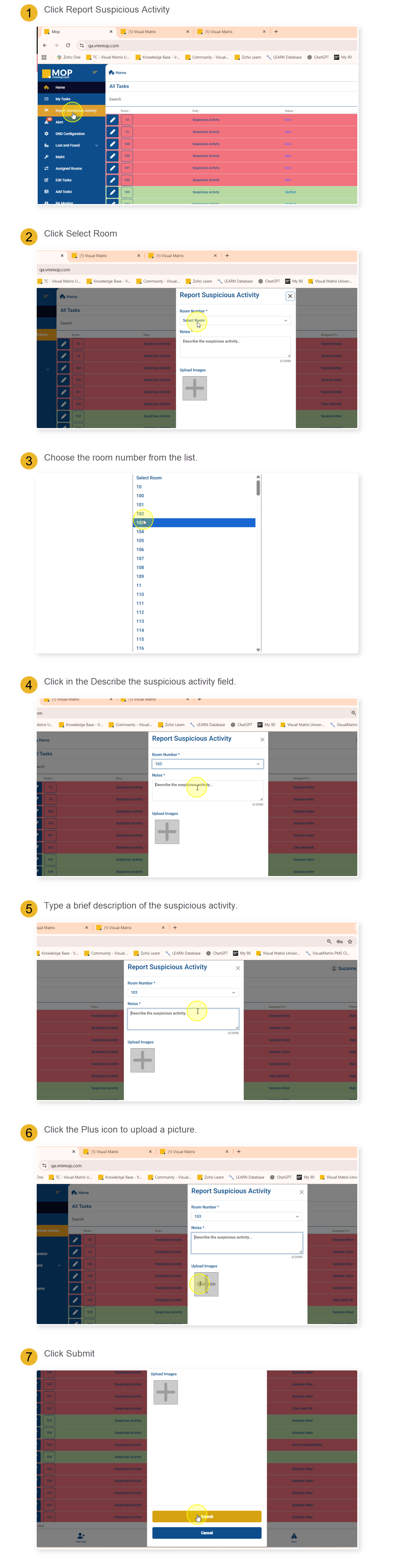
Steps to Report and Complete a Suspicious Activity Alert
Use the steps below to report a suspicious activity and submit it for tracking and follow-up in MOP.
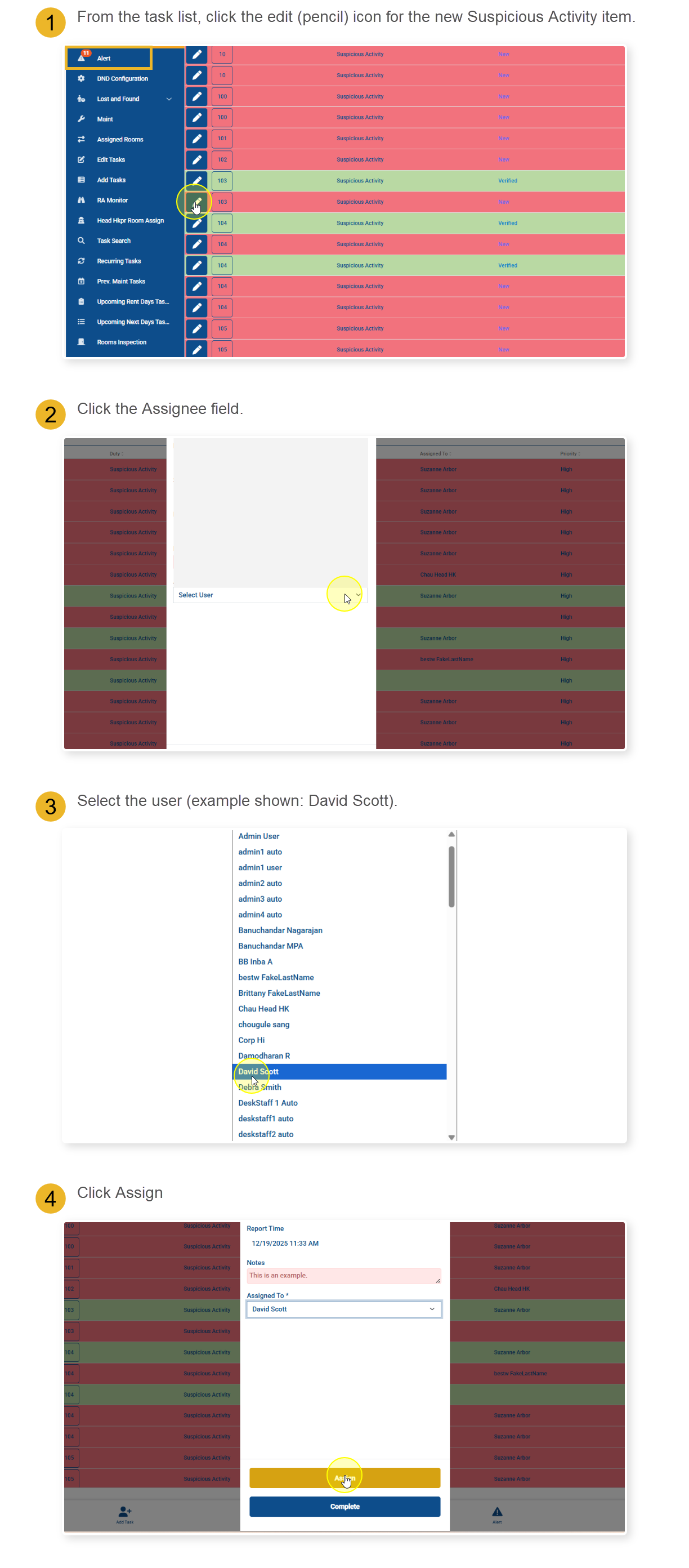
Assign the Alert
If you see a notification badge on the Alerts menu, it indicates there is an unassigned safety task requiring action. To assign or complete this task, navigate to the Alerts section and select the alert; users with the appropriate permissions can then assign the alert to the correct user to ensure timely review, follow-up, and documentation.
2 Ways to Complete the Alert
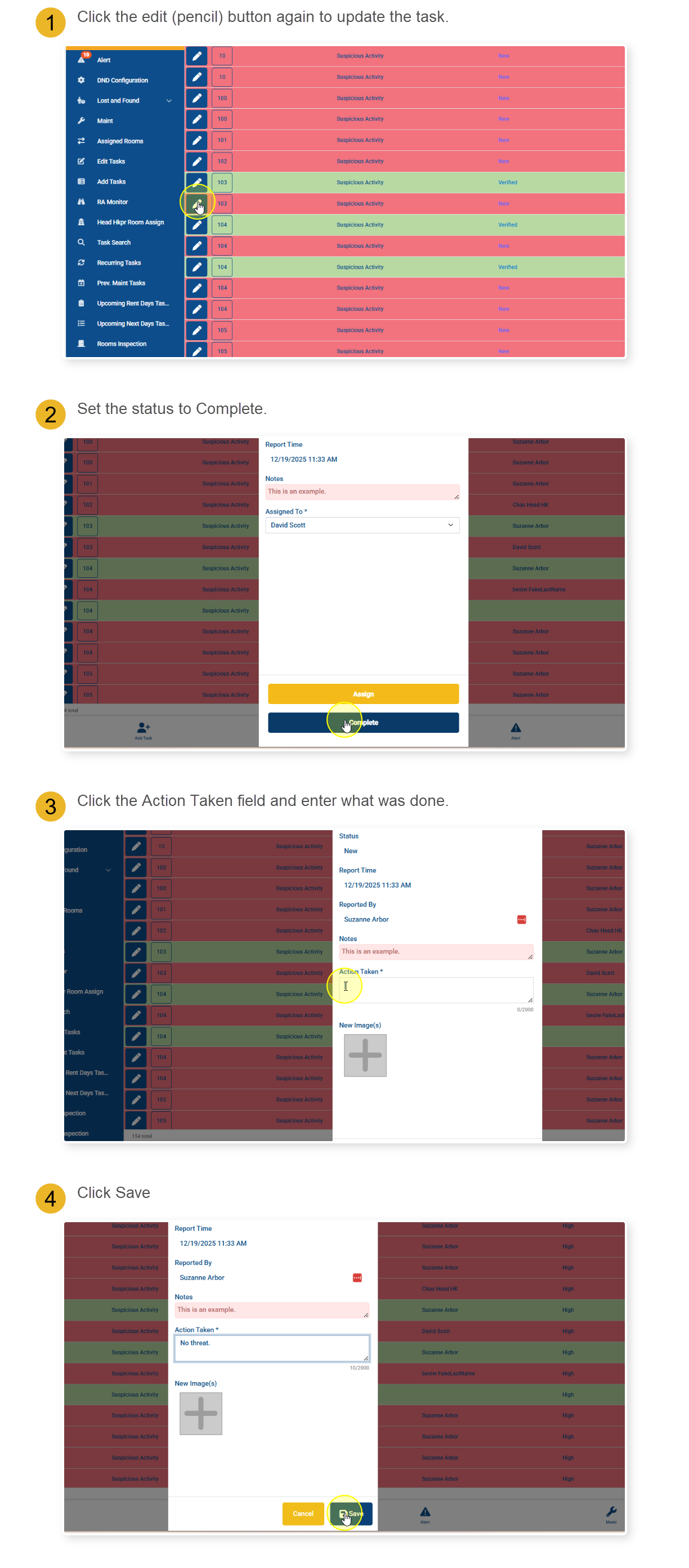
There are two ways to complete a safety task. You can choose to skip assigning the task and complete it yourself, or you can assign the task to another authorized user, allowing that person to review and complete the task.
If the task is assigned to a user, it will appear in their My Tasks list, where they can follow the steps below to complete it.
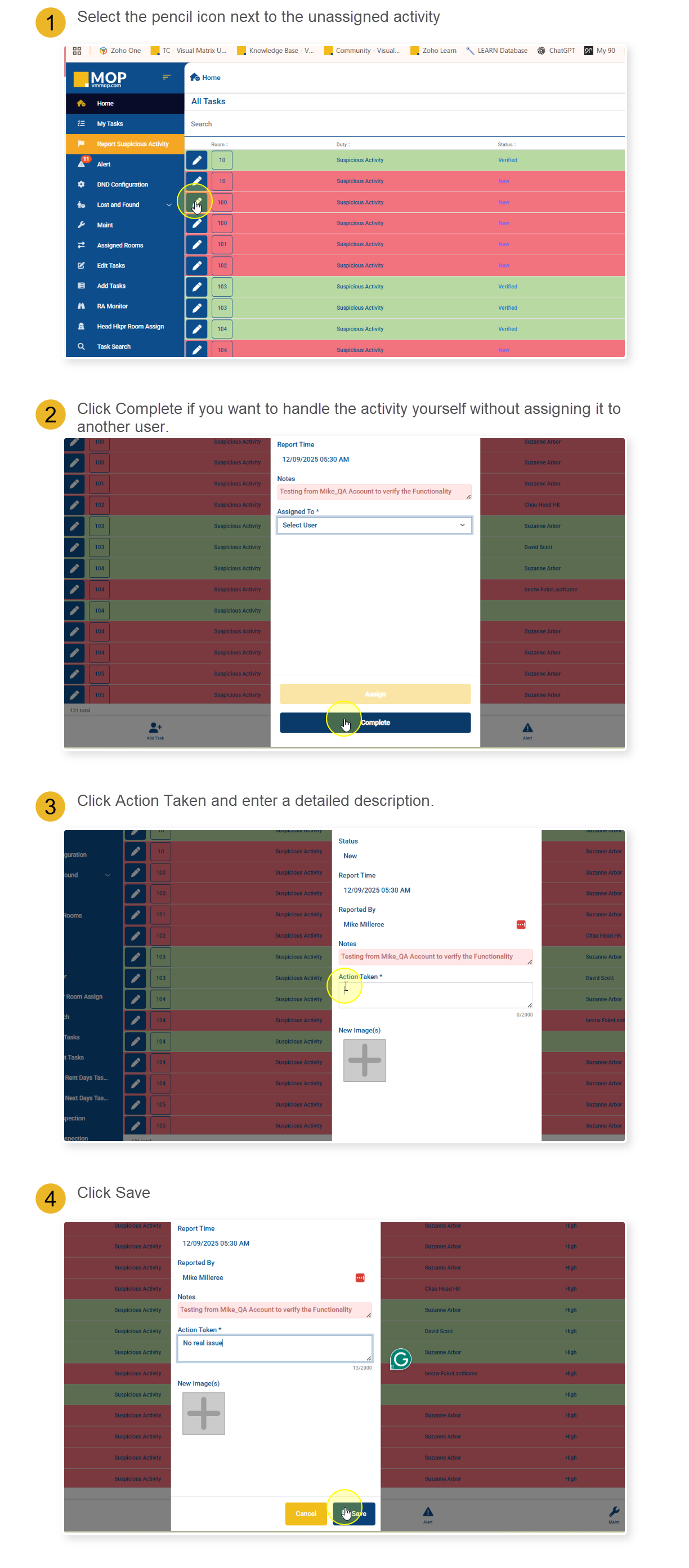
If the task is unassigned and needs to be completed immediately, follow the steps below to complete it.
Steps to Report and Complete a Suspicious Activity Alert
Use the steps below to report a suspicious activity and submit it for tracking and follow-up in MOP.
Assign the Alert
If you see a notification badge on the Alerts menu, it indicates there is an unassigned safety task requiring action. To assign or complete this task, navigate to the Alerts section and select the alert; users with the appropriate permissions can then assign the alert to the correct user to ensure timely review, follow-up, and documentation.
2 Ways to Complete the Alert
There are two ways to complete a safety task. You can choose to skip assigning the task and complete it yourself, or you can assign the task to another authorized user, allowing that person to review and complete the task.
If the task is assigned to a user, it will appear in their My Tasks list, where they can follow the steps below to complete it.
If the task is unassigned and needs to be completed immediately, follow the steps below to complete it.

Suspicious Activity alerts do not trigger sound notifications. This differs from Panic Alerts and is intentional to avoid drawing attention or increasing risk.
Still Need Help With This Topic?
Ask Yourself:
- Did I include clear and accurate notes describing what I observed?
- Did I attach photos when appropriate?
- Was the alert assigned to the correct person for follow-up?
- Did I document the action taken clearly before completing the alert?
- Do I have the correct notification settings enabled?
Support May Ask You:
- Is the Suspicious Activity feature enabled for your site?
- Who submitted the report and when?
- Was the alert assigned or completed directly?
- What action was documented before completion?
- Are notification settings configured correctly for the affected users?